 ClearPix
Remove backgrounds from portrait photos
ClearPix runs U²-Net once after you upload a portrait and click Remove background, locally in your browser. This page is only for the cutout: review the result and download a transparent PNG at the original size. There are no background colors, replacement images, or resize controls. Fine hair, glasses, hands, and overlapping people can produce imperfect edges, so inspect the hairline and small details before exporting.
Create a transparent portrait cutout for a profile image, presentation, or design while keeping the photo on your device. After you click Remove background, U²-Net estimates the person’s alpha mask once; this focused workflow does not offer background replacement or output sizing.
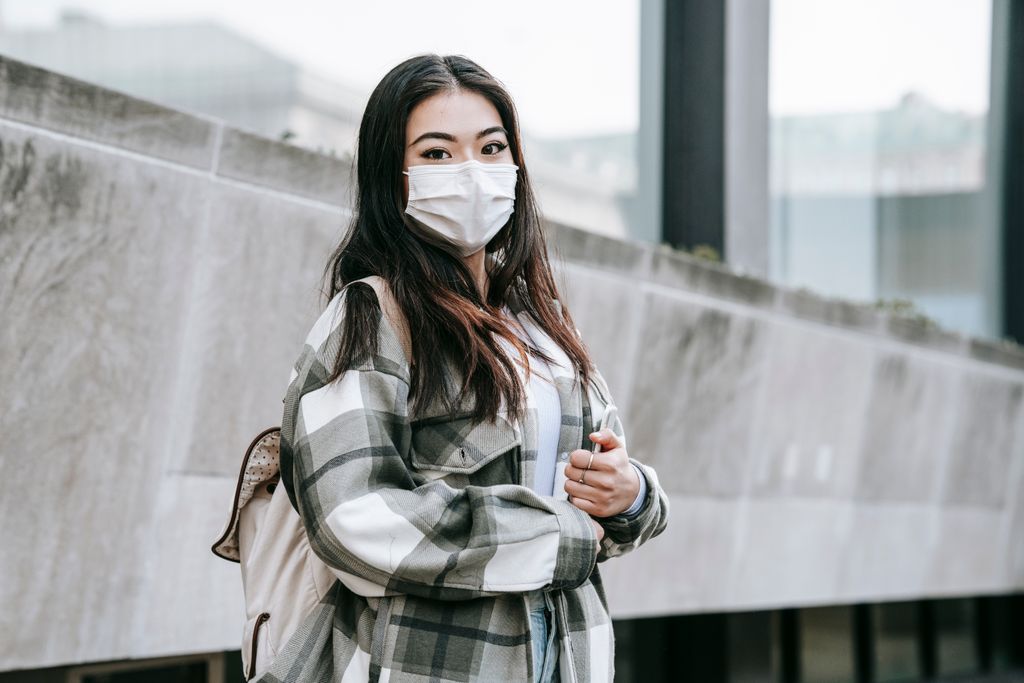
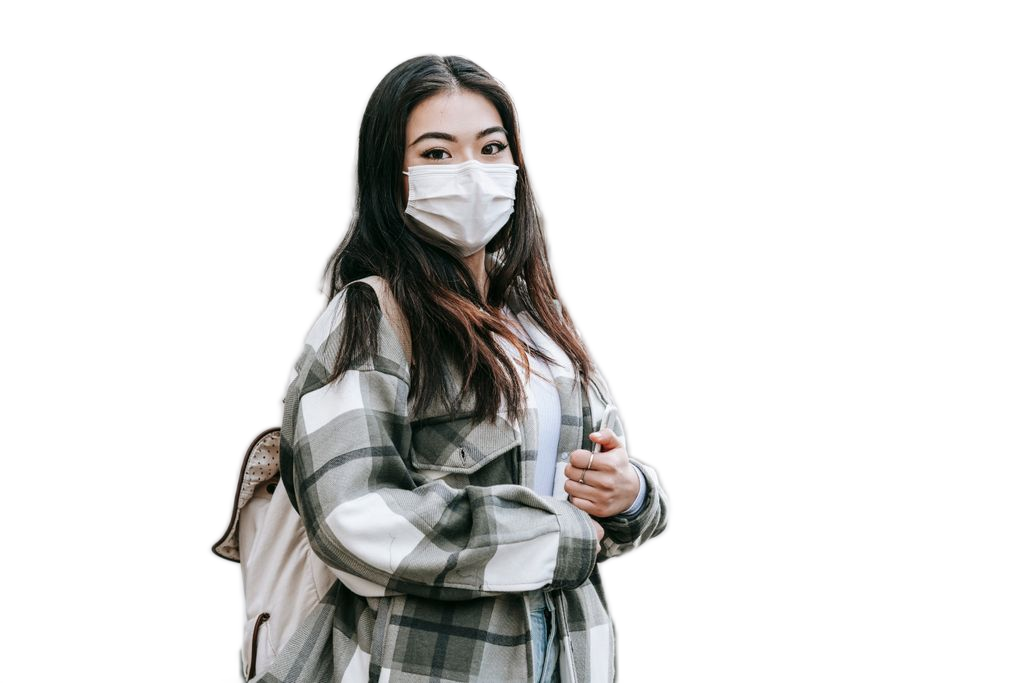
Real Pexels portrait and ClearPix U²-Net transparent PNG output, not a user file.
Drop your image here, or click to browse
PNG / JPG / WebP — up to 20 MB, 6000 px on the longest side, and 16000000 pixels total · You can also paste an image (⌘V)
What can you do after removing a background?
Create clean product images or export a transparent PNG for design, compositing, and other creative work. This general page does not add replacement backgrounds or apply ID photo dimensions.
Background removal FAQ
How do I remove a background from a product or portrait photo?
Drop in your image and press Remove background. The cutout runs locally in your browser, and you can then export a transparent PNG.
What image formats and sizes are supported?
PNG, JPG and WebP are supported. Files can be up to 20 MB, with a longest side of 6000 px and no more than 16000000 pixels in total. If your image exceeds any limit, resize it before processing.
Are my photos uploaded for background removal?
No. Your image is read and processed on your device, and the cutout is created locally. Nothing is uploaded to a server for processing.
Can I replace the background or make an ID photo here?
This general page only removes backgrounds and exports transparent PNGs. For a replacement background or document-sized ID photos, use the dedicated background-replacement or ID-photo scenario page. Check the current official rules before submitting an ID photo.
Only process images you own or have explicit permission to modify.
How it works
Add one portrait
Drop a PNG, JPG, or WebP with one clearly visible person. A sharp source with good subject-background contrast is easier to separate.
Click Remove background
After upload, click Remove background to run the same U²-Net model once, with no mode selection. It estimates the alpha mask for the portrait locally.
Review the transparent result
Check hair, glasses, fingers, clothing edges, and gaps between arms and body at full size. No color or image background is added.
Download the transparent PNG
Hold to compare against the original, then export the cutout as a transparent PNG at its original size. There are no resize controls.
Recommended settings
- • Use one clearly visible person and a sharp, well-lit source with good subject-background contrast.
- • Export the transparent PNG at the original size for later design work.
- • Check flyaway hair, glasses, fingers, and gaps between arms and torso before downloading.
What to expect
- • Preservation of every hair strand is not guaranteed, especially with blur or low subject-background contrast.
- • The tool does not select individuals from group photos and does not guarantee clean multi-person separation.
- • Only original-size transparent PNG output is offered: no replacement backgrounds, resize controls, or manual mask brush.
Your file never leaves your device. All AI processing runs locally in your browser on your own hardware — there is no upload, no queue, and no copy stored on any server. You can disconnect from the internet after the page loads and everything still works.
Frequently asked questions
Will every strand of hair be preserved?
No. Fine or flyaway hair, low-contrast hair, and motion blur can produce missing strands, rough edges, or leftover background. ClearPix does not guarantee preservation of every strand; inspect the hairline at full size before export.
Can it separate one person from a group photo?
The workflow is designed around one main portrait, not selecting individuals from a crowd. Overlapping people may be merged, partially removed, or given incorrect boundaries, and clean multi-person separation is not guaranteed.
Can I make a transparent profile picture?
Yes. After you upload and click Remove background, U²-Net creates the cutout once, and this page exports it as a transparent PNG at the original size. Background colors, replacement images, and alternate output sizes are not available here.
What should I check around glasses and hands?
Look for missing lens areas, leftover background between frames, clipped fingers, and gaps between arms and the body. These details depend on the estimated mask and cannot be corrected with a manual brush in this version.
Are portraits uploaded to a server?
No. U²-Net inference, alpha generation, and transparent PNG export run on your device. Only the required model and runtime files are downloaded and cached; the portrait itself is not uploaded.