 ClearPix
Remove date stamps from old photos
ClearPix erases the orange date digits that film cameras and early digitals printed on photos, free and entirely in the browser. The date stamp preset marks the bottom-right corner in one click, and AI inpainting rebuilds the sky, grass or clothing under the digits at full resolution. Scanned family photos are never uploaded; processing runs on the user's own device, even offline. Removing the stamp before upscaling gives the cleanest result.
Erase the orange date digits film cameras and early digitals burned into the corner of your scans — with AI inpainting, entirely in your browser. Free, no sign-up, and your photos are never uploaded.
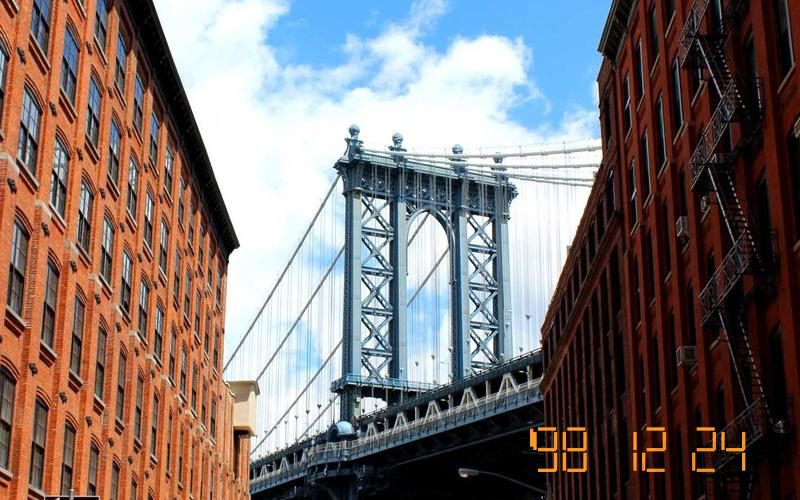

Drop your image here, or click to browse
PNG / JPG / WebP — processed locally, never uploaded · You can also paste an image (⌘V)
How does in-browser watermark removal work?
ClearPix uses MI-GAN, an inpainting neural network from Picsart Research (ICCV 2023), compiled to ONNX and executed by ONNX Runtime Web. Automatic detection combines a text-detection model with visual heuristics; when you confirm the boxes (or paint your own mask), the model analyzes the surrounding texture and synthesizes what should be underneath — on your own GPU via WebGPU, or on your CPU via WebAssembly. The image data never travels over the network, which makes this the most private way to clean up your photos.
Tips for best results
- Let auto-detect run first — dismiss any wrong boxes with one click, then hit Remove.
- When brushing, cover the whole watermark, slightly overlapping its edges.
- Use a smaller brush for thin text and a larger one for logos.
- Run the remover twice over stubborn areas — each pass refines the fill.
Only process images you own or have explicit permission to modify. Removing a watermark does not change the copyright status of the underlying content.
How it works
Upload the scanned photo
Drop the scan carrying the date stamp. Family archives stay on your machine — nothing is uploaded.
Apply the date stamp preset
One click marks the bottom-right corner where most cameras printed the date. If yours stamped the bottom-left, drag the box over there.
Download the clean photo
AI rebuilds the pixels under the digits — sky, grass, clothing — at full resolution.
Your file never leaves your device. All AI processing runs locally in your browser on your own hardware — there is no upload, no queue, and no copy stored on any server. You can disconnect from the internet after the page loads and everything still works.
Frequently asked questions
Does this work on the classic orange digital-style digits?
Yes — that bright orange seven-segment print is the most common case and the preset is sized for it. White or yellow imprints from other cameras work too; just fit the box to whatever your camera used.
The stamp sits over a face or detailed area. Will it look natural?
Inpainting rebuilds texture from the surrounding pixels. Over sky or clothing the result is usually invisible; over a face or fine pattern a slight softness can remain. Run a second pass on a tighter box if you see it.
Should I remove the stamp before or after upscaling a scan?
Before. Removing the digits at the original resolution gives the inpainter real pixels to work with; if you upscale first, the stamp gets enlarged and sharpened too, leaving more to erase.
Is it okay to edit old family photos this way?
They are your photos. Many people keep the stamped original as the archival copy and clean a duplicate for printing or sharing — a habit worth adopting.
Are my family photos uploaded to a server?
Never. The whole pipeline runs in your browser on your device. You can load the page, disconnect from the internet, and process the scans offline.
How do I upscale the photo after removing the date stamp?
Download the cleaned scan, then open the ClearPix image upscaler and choose 2× or 4× — Real-ESRGAN rebuilds detail tile by tile and exports a print-ready PNG, on your own device with no upload. For old family photos the full restoration order is: remove the stamp first, then upscale; the old-photo upscaling page walks through exactly that workflow.