 ClearPix
Remove backgrounds and set sizes for ID photos
ClearPix runs U²-Net once after you upload an ID-style portrait and click Remove background, then composites a solid background and official-document size selection in real time on the result page, without another inference. Presets cover US, UK, Chinese, Japanese, and Canadian document dimensions at 300 DPI. They are layout references only: ClearPix performs no biometric or compliance checks, and some authorities prohibit edited or composited photos, so always verify current official rules.
Prepare an ID-style portrait with a plain color and an official-document size reference without uploading the photo. U²-Net runs once after you click Remove background; color, dimensions, and layout then update locally without further inference. The issuing authority’s current rules remain the source of truth.
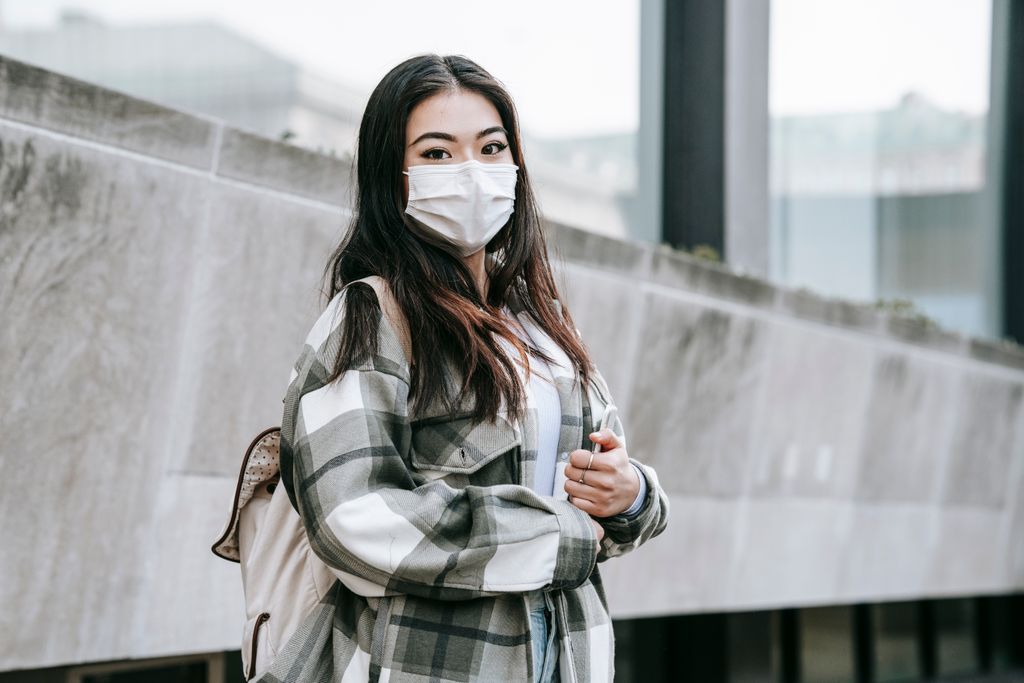
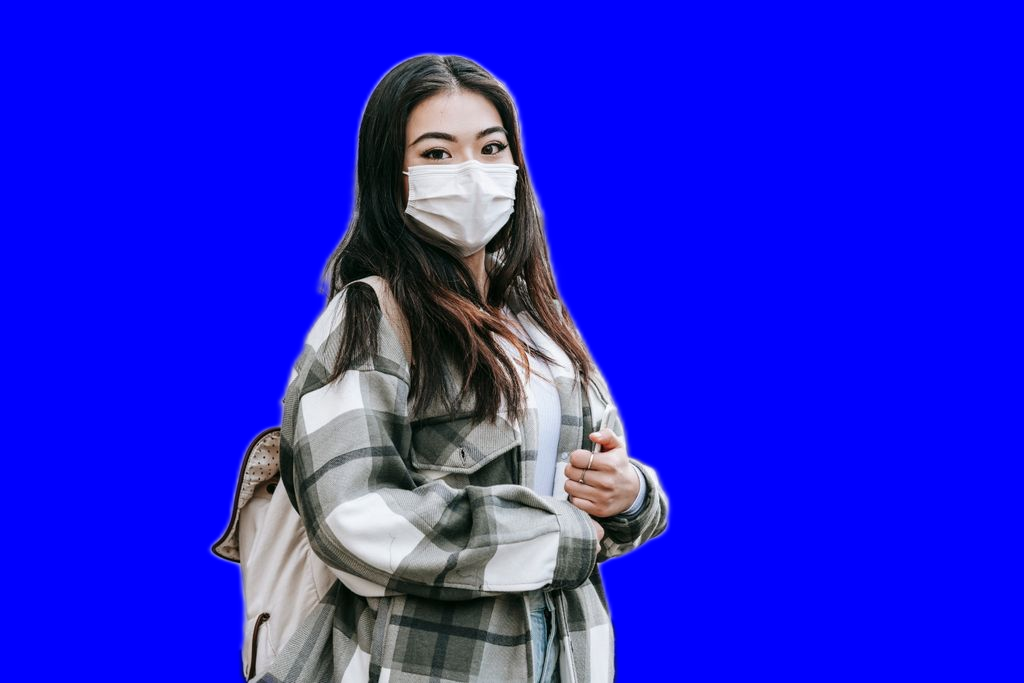
Real Pexels portrait and ClearPix U²-Net blue-background output; this is not an official compliance example.
Drop your image here, or click to browse
PNG / JPG / WebP — up to 20 MB, 6000 px on the longest side, and 16000000 pixels total · You can also paste an image (⌘V)
What can you do after removing a background?
Create clean product images or export a transparent PNG for design, compositing, and other creative work. This general page does not add replacement backgrounds or apply ID photo dimensions.
Background removal FAQ
How do I remove a background from a product or portrait photo?
Drop in your image and press Remove background. The cutout runs locally in your browser, and you can then export a transparent PNG.
What image formats and sizes are supported?
PNG, JPG and WebP are supported. Files can be up to 20 MB, with a longest side of 6000 px and no more than 16000000 pixels in total. If your image exceeds any limit, resize it before processing.
Are my photos uploaded for background removal?
No. Your image is read and processed on your device, and the cutout is created locally. Nothing is uploaded to a server for processing.
Can I replace the background or make an ID photo here?
This general page only removes backgrounds and exports transparent PNGs. For a replacement background or document-sized ID photos, use the dedicated background-replacement or ID-photo scenario page. Check the current official rules before submitting an ID photo.
Only process images you own or have explicit permission to modify.
How it works
Add a suitable portrait
Use a sharp, front-facing photo that already meets the required pose, expression, lighting, and framing rules, and confirm that editing is permitted.
Click Remove background
After upload, click Remove background to run the same U²-Net model once, with no mode selection. Review the hairline and clothing edges before choosing the layout.
Choose a solid color and document size
Select white, ID blue, ID red, or a custom color and one of the official-document size references. Custom image backgrounds are not available.
Adjust, verify, and download
Changes recomposite in real time without another inference. Adjust zoom and vertical position, verify every current official rule independently, and export the flattened image.
Recommended settings
- • Start with a sharp, front-facing portrait that already satisfies the destination’s pose and lighting rules.
- • Confirm that the receiving authority permits edited or composited photos, then select its required solid color and document size reference.
- • Adjust zoom and vertical position, then independently verify current dimensions, head size, margins, and every other rule.
What to expect
- • Official compliance, biometric validity, and acceptance by any authority are not checked or guaranteed; some authorities prohibit edited or composited photos.
- • The five document presets are dimension and layout references calculated at 300 DPI, not proof of compliance; custom image backgrounds are unavailable.
- • Hairline and clothing edges can be imperfect, and the source’s pose, expression, lighting, and framing are not corrected.
Your file never leaves your device. All AI processing runs locally in your browser on your own hardware — there is no upload, no queue, and no copy stored on any server. You can disconnect from the internet after the page loads and everything still works.
Frequently asked questions
Does this guarantee an officially compliant ID or passport photo?
No. ClearPix performs no biometric or compliance checks and cannot guarantee acceptance. Some authorities prohibit edited or composited photos. Verify current rules for background, dimensions, head position, expression, lighting, clothing, recency, and editing with the receiving organization.
Which official-document sizes are available?
At 300 DPI: US passport 51×51 mm (600×600 px), UK 35×45 mm (413×531 px), China 33×48 mm (390×567 px), Japan 35×45 mm (413×531 px), and Canada 50×70 mm (591×827 px). Sources are the U.S. Department of State, UK HM Passport Office, official Chinese diplomatic and consular passport photo guidance, Japan’s Ministry of Foreign Affairs, and Immigration, Refugees and Citizenship Canada.
Can I choose white, blue, or red?
Yes. White, ID blue, and ID red are available alongside a custom color picker; custom image backgrounds are not. Confirm the exact color and every other requirement with the organization receiving the photo rather than relying on a preset name.
Will the tool check head size and position?
No automatic biometric or compliance check is performed. You can adjust subject zoom and vertical position, but the size presets are only dimension and layout references. Verify head size, margins, pose, framing, and editing rules against current official requirements.
Is an ID photo uploaded?
No. U²-Net inference, the alpha mask, and subsequent color and layout composition run on your device. The required model and runtime files are downloaded and cached; the photo itself is not sent to ClearPix for processing.